4K and frame rate in night vision recordings: reading specifications for moving wildlife
Why 4K alone cannot settle wildlife recording quality
TL;DR: To assess 4K night vision recording quality, read the recording resolution alongside the frame-rate information, then ask to see footage relevant to your wildlife task. Welltar lists resolution and selectable frame rates separately, with a stated night-time brightness trade-off. Those specifications help explain the choices available; they do not demonstrate how much detail a moving animal will retain.
Read beyond the headline resolution
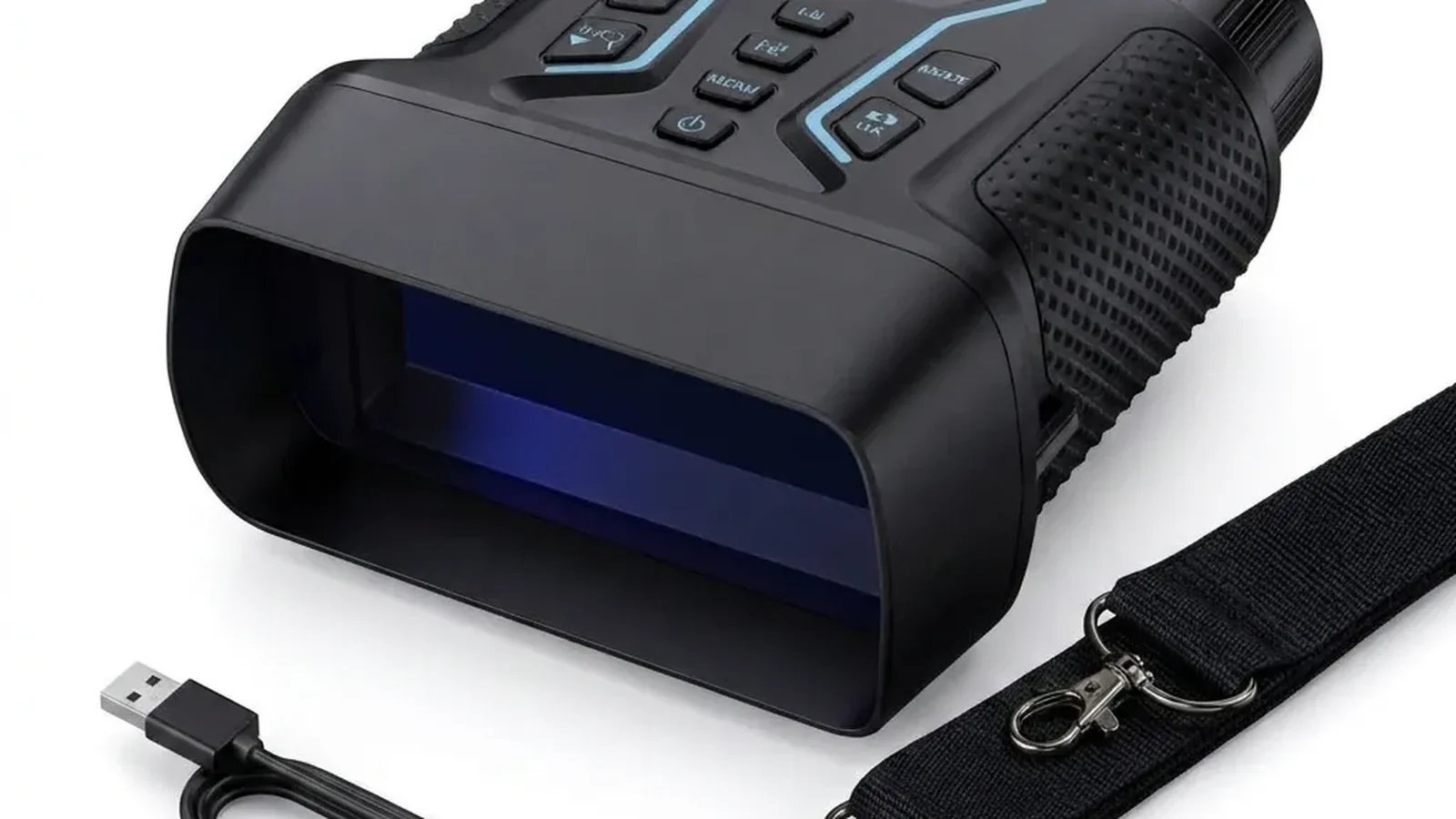
Welltar’s BK-NV8360 specification lists 4K among its video resolutions and Auto/5FPS/10FPS/15FPS/20FPS/25FPS/30FPS among its selectable frame rates. Welltar also states that lower frame rates increase night vision brightness.
That is a reason to examine more than the largest resolution on the page. The manufacturer is describing several recording choices and a brightness consideration. Treating “4K” as the complete answer would leave those other published characteristics out of the decision.
The table does not explicitly pair each resolution with each frame rate. Do not assume that every listed rate is available at 4K, or turn the brightness statement into a claim that a particular setting will capture clearer moving wildlife. Ask for confirmation of the specific recording mode you intend to use.
Define what “useful” means before comparing devices
For a garden wildlife recording, we suggest setting a concrete goal: recognising the animal, following its movement through the scene, or seeing a particular feature while it turns. Choose the goal that matters to you rather than accepting an attractive stationary scene as your only demonstration.
Then ask whether the evidence answers that goal. A specification can document an advertised recording option. For your purchase decision, request an original night-time clip showing a moving animal at a distance comparable with your intended use, with the recording settings and lighting conditions identified. Use it to judge the result you actually want to keep.
How to read recording specifications without overinterpreting them
Separate the published figures before deciding what they tell you. A useful approach is to make one note for each labelled property, preserving the manufacturer’s wording and leaving any unconfirmed relationship unresolved.
Keep sensor and recording figures separate
Nightfox’s Ember product page lists a digital sensor resolution of 1920 x 1080 and a recording resolution of “1920 x 1080; up to 4K UHD”. It also lists sensor frames per second as 25fps and video recording frames per second as 30fps.
For your comparison notes, retain all four entries. Do not substitute the recording resolution for the sensor resolution, or present the recording frame rate as the sensor frame rate. The separate labels matter when asking a seller to explain the recording process.
These entries alone do not explain how the sensor output becomes the advertised 4K recording. Avoid inferring a processing method or a wildlife-detail result from the figures. A useful follow-up question is: “Which resolution and recording frame rate were used for this sample, and how was the file produced?”
Check broad descriptions against the detailed specification
Nightfox’s buying guide describes Ember as recording at “a slightly lower frame rate than our other products”. That is relative positioning within Nightfox’s range; the quoted description does not supply a numerical rate or name a particular comparison model.
Read it alongside the product page’s separate figures rather than using it to construct a precise comparison with Welltar or another brand. If the descriptions leave you unsure which rate applies to a particular mode, seek clarification before treating that mode as confirmed.
Use a sample review to answer your own question
We suggest the following review method; it is a practical purchasing aid, not a validated performance test:
- Set the scene you need evidence for. Specify the approximate distance, the kind of animal movement and whether you need recording in complete darkness.
- Ask for the original file and its context. Request the selected resolution, recording frame rate, illumination used and any editing or processing applied.
- Watch the movement, then inspect relevant moments. Decide whether you can follow the animal and see the features needed for your chosen task. Include moments when it walks or turns.
- Record a limited conclusion. Write down what that clip demonstrates under its stated conditions. If the settings or lighting are unknown, keep those uncertainties attached to your judgement.
This approach lets you make a useful decision without declaring a device good or poor solely because its specification includes 4K.
Choose your next step according to the evidence you have
Use the specifications to decide what to ask next, then use relevant footage to make your own judgement about moving wildlife. Keep the conclusion proportionate to what you have actually seen.
If you have only a 4K headline, request the detailed recording specifications. If you have resolution and frame-rate figures but their relationship is unclear, ask which combinations are available. If you have a sample clip, check its settings and conditions before using it to support a purchase decision.
The manufacturer examples show why those checks are worthwhile: Welltar explicitly associates lower frame rates with increased night vision brightness, while Nightfox lists Ember’s sensor and recording frame rates separately. Neither example should be transferred to a different manufacturer’s device.
A focused request to send before buying
You could ask:
I want to record moving wildlife in a dark garden. Could you provide an original night-time recording at a stated distance, showing an animal walking or turning? Please identify the resolution, recording frame rate and illumination used, confirm whether there was any ambient light, and explain whether the file has been edited. Please also confirm which frame rates are available at the advertised 4K setting.
If a relevant sample is unavailable, leave moving-animal detail unconfirmed. You can still compare documented specifications, but we suggest postponing a firm judgement about footage usefulness rather than filling the gap with an assumption.
Read the manufacturer sources in context
- Welltar BK-NV8360 specifications — the resolution and selectable frame-rate table, including Welltar’s brightness statement.
- Nightfox Ember product page — the separately labelled sensor resolution, recording resolution and frame-rate entries.
- Nightfox buying guide — the manufacturer’s relative description of Ember’s recording frame rate.
For your final shortlist, use a simple decision rule: keep the advertised specification, the demonstrated result and the unanswered questions as separate notes. Choose according to the wildlife footage you need, with any remaining uncertainty visible.